
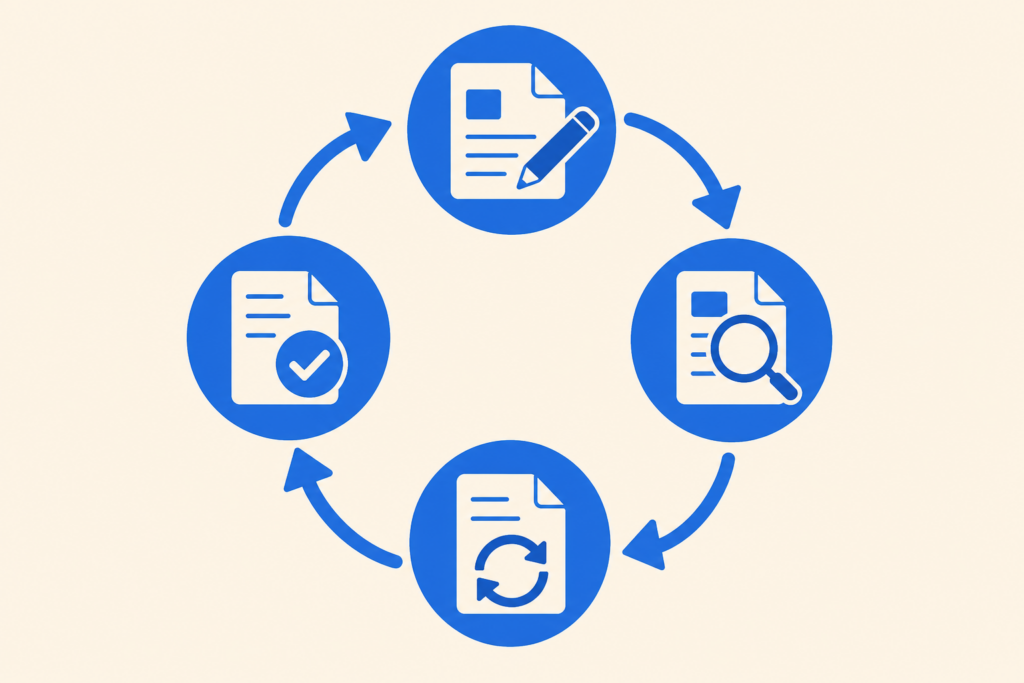
Continuous prompting means guiding Claude through a multi-step task in one thread — plan → execute → review — instead of one overloaded message. This reduces drift and improves quality.
Why one-shot prompts fail
Large asks (“build my marketing strategy, write emails, and design slides”) cause:
- Shallow coverage
- Forgotten constraints
- Generic middle sections
Breaking work into steps fixes this.
The 4-step loop
- Plan — “Outline steps only. Do not write final copy yet.”
- Draft — “Complete step 2 only.”
- Critique — “List weaknesses and factual risks.”
- Revise — “Apply fixes. Keep tone from step 2.”
Example: launch blog post
Step 1: Propose 5 angles for "Claude for Excel" with pros/cons.
Wait for my pick before continuing.
After you choose:
Step 2: Write outline with H2/H3 only.
Step 3: Draft section "Getting started" (~400 words).
Continue section by section.
Checkpoint phrases
- “Summarize decisions so far before we continue.”
- “What is still missing from the original brief?”
- “Stop if assumptions are unclear — ask me.”
When to start a new chat
Start fresh when:
- Topic changes completely
- Context is polluted with wrong answers
- You hit context limits on very long threads
Carry forward: paste a brief summary from the old chat.
Combine with Skills
Store the 4-step loop as a Skill for recurring content production.
Next lesson
Slide AI — Lesson 13.
Free Claude Course — Lesson 12
Related on AIFree.vn
Practical checklist
- Write down one concrete task you will solve this week (not “learn AI” in general).
- Pick one primary tool and one backup — avoid subscription sprawl.
- Run a 20-minute pilot with real inputs; save prompts that worked.
- Add a human review step before anything customer-facing or legal.
- Schedule a 30-day review: keep, replace, or cancel the tool.
Common mistakes
- Chasing every new launch instead of finishing workflows.
- Trusting outputs for numbers, dates, or citations without verification.
- Uploading confidential data to tools your employer has not approved.
- Skipping internal links between related guides on your site or team wiki.
FAQ
How long until I see results?
Most readers save time within the first week if they apply one tutorial to a real task.
Do I need to code?
No for chat and image tools; yes for fine-tuning, RAG, or custom integrations.
What should I read next?
Use the Related on AIFree.vn section at the bottom of this article for hub pages and deeper tutorials.
Key takeaway
Treat AI as a draft accelerator with clear evaluation criteria — not an infallible expert. Combine tools with domain judgment and you will outperform teams that either avoid AI or use it without guardrails.
Study plan (7 days)
| Day | Focus | Output |
|---|---|---|
| 1 | Read this article + hub page | Summary notes |
| 2 | Try one tool with a real task | Saved prompt |
| 3 | Compare alternative tool | Short comparison table |
| 4 | Share draft with peer for review | Feedback bullets |
| 5 | Measure time saved vs baseline | 1 metric |
| 6 | Document team guidelines | 1-page SOP |
| 7 | Publish or ship internally | Completed artifact |
When to escalate to an expert
Escalate to a senior engineer, lawyer, or clinician when outputs affect money, safety, compliance, or customer contracts. AI assists research; humans remain accountable.
Glossary (quick)
| Term | Meaning |
|---|---|
| LLM | Large language model for text |
| RAG | Retrieval-augmented generation with your docs |
| Fine-tuning | Training a model on specialized data |
| Token | Chunk of text the model processes |
| Hallucination | Plausible but incorrect output |
AIFree.vn — practical AI & IT education. Last optimized: June 2026.
